MS Excel comprehensive financial project tracking both project month and weekly financials

A comprehensive editable, table MS Excel spreadsheet for tracking project monthly financials including summary view tab, contracted work, forecasts, actuals, variance, expenses, annual leave, suppliers and pivot tab. Purchase also includes other budget tracker examples.

Benefits:

1) Offers tight control, monitoring and reporting of project finances for stakeholder updates on budget used and forecast.

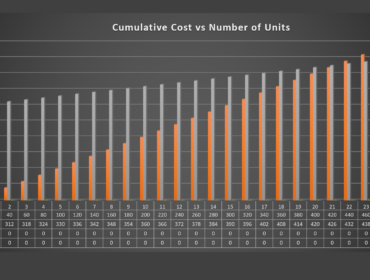
2) Provides multiple charts that can be incorporated into status reports and senior management reports for the project cost status.

3) Incorporates all the typical project actual and forecast items and saves time from having to construct project finance trackers from scratch.

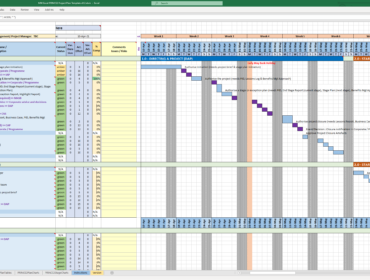
Tab 1: Contains the main finance tracker scrollable by month and includes; resource summary, grade and role on project, expenses incurred, annual leave, sickness, original bid days (from SoW), forecast days, actual days worked, hours, variance, actual internal cost, forecast revenue, actual revenue and revenue variance. The sum total of all the months is also included on the far right of the spreadsheet for all the headings above.

Tab 2: The finance summary tab contains a graphical view by way of charts of all details in Tab 1 above for reporting purposes.

Tab 3: A larger finance dashboard of charts to summarize the project forecasts and costs in various different ways for different reporting requests by stakeholders.

Tab 4/5: Spreadsheet pivots of the information in tab 1.

Tab 6: A comprehensive annual leave / sickness worksheet by resource which is viewable in summary in tab 1 by resource.

Tab7: Any supplier costs.

Tab 8/9/10: Rate card changes across the financial calendar.

About Author: A Senior Project Manager with 31 years experience in delivering projects, a PRINCE2 Practitioner and experienced in Agile SDLCs. 

This Best Practice includes
Several Comprehensive MS Excel Spreadsheets for tracking project budgets

Objectives

1) Offers tight control, monitoring and reporting of project finances for stakeholder updates on budget used and forecast.

2) Provides multiple charts that can be incorporated into status reports and senior management reports for the project cost status.

3) Incorporates all the typical project actual and forecast items and saves time from having to construct project finance trackers from scratch.

Use it if

Those looking for tight and comprehensive project budget tracking or estimating project bids

Don’t use it if

Requires an understanding of MS Excel

Example Excel Images :

or
File Type MS Excel
Business Category , , , , ,
Key Aspects , , , , , ,

Pro_WAgile_Mark

Mark is an experienced Senior Project Manager, who has worked at ascending points in software development lifecycle (SDLC) projects for over 30 years. He has impressive credentials in the delivery of highly complex projects in challenging conditions. He has held senior Project Management positions and helped to drive significant business transformation through IT systems and service delivery using both Agile and Waterfall approaches in accordance with ISO QA directives.

Notable successes are working as Project Manager at a large UK retail bank with responsibility for managing the swap out of old legacy ATM software systems for modern technologies and leading the implementation of an ATM/POS monitoring & reporting system at a large retail bank in Saudi Arabia. He has a broad management and IT background and interfaces well with both technical and business stakeholders, on-site and internally.